Preview for Jackie Fort · 12 October 2026 · not live yet
Request a quote
SHEQ consulting · since 2013

Your one-stop shop for all things SHEQ.

Safety files, site audits and SHEQ systems for contractors, run by Jacqueline Fort, a registered Construction Health & Safety Manager. We get your file approved and keep it current until the job is handed over.

SACPCMP registered · CHSM/811/2019 · ActiveCheck ↗
WebsiteYour own tagline leads. The badge links to your live entry on the SACPCMP register (active, good standing to 31 March 2027). None of the ~30 SA safety consultancies I checked does this.

Get your file approved. Then keep it that way until handover.

The regulations ask for a file on site, checked at least every 30 days. We do the checking, so medicals, inductions and appointments never lapse halfway through a job.

How we work
30days, at most, between site audits
7days to get each audit report to your principal contractor
2013the year O.S.A.S. was registered
What we do

Everything SHEQ, under one roof. Whatever your client's specification asks for.

Safety, health, environment and quality: the paperwork that gets you on site, and the checks that keep you there.

Talk to Jackie
Your callThis list is my reading of your registration and card. Tell me what you do most, what you'd rather not be asked for, and which areas you cover. Each service can get its own page for Google.

Safety files

Compiled for your site and your scope, from the client's health and safety specification.

  • Ready for the principal contractor to approve
  • Kept up to date for the whole project

Site audits and inspections

Site walks and document checks, with a written report and findings that get closed out.

  • At least every 30 days
  • Report to your principal contractor within 7 days

Risk assessments and fall protection

Written for the work you're actually doing on this site.

  • Task risk assessments and safe work procedures
  • Fall protection and rescue plans for work at height

Management systems

ISO 45001, 14001 and 9001, set up and kept ready for audit.

  • Policies, procedures and registers
  • Gap analysis before certification

Incident investigation

When something goes wrong, we find out why and help stop it happening again.

  • Root-cause investigation
  • A report your client can rely on

Inductions and training

Site inductions for workers and visitors, and toolbox talks written for your site.

  • Signed records kept in your file
  • Training on request
How we work

From first call to handover. One person answers for your file.

Send us your project

It starts with your client's specification

Send it with your scope and start date. Everything in your file is written from it.

1

Send us the project

The site, your scope of work, the start date and the client's health and safety specification.

2

We compile your file

Written for this site, with the appointments, risk assessments and plans it needs, ready for approval.

3

We keep it current on site

Inductions, audits at least every 30 days, and expiry dates tracked so nobody gets turned away at the gate.

4

Handover

At the end of the job, the consolidated file goes to your client.

WebsiteThe 30-day audits, 7-day reports, inductions and handover all come straight from Construction Regulations 5 and 7 (checked against the 2014 text). Cheap online files (R499–R2 000) stop at step 2. Steps 3 and 4 are what you sell.
The O.S.A.S. app

Your safety file, on your phone. Included for every O.S.A.S. client.

Open the app demo

Scan at the gate. Know who can go in.

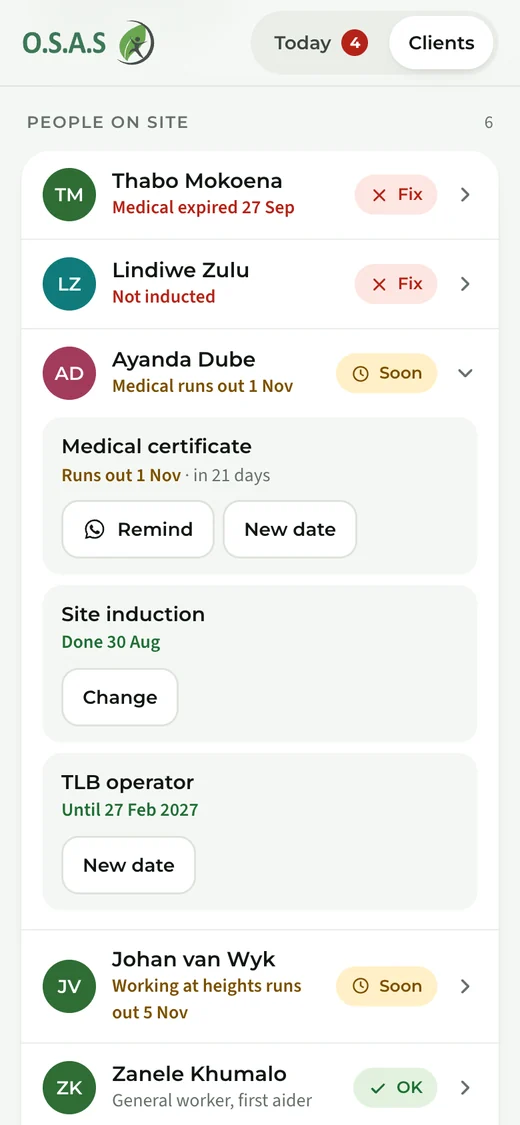
Your supervisor scans each worker's site card. If someone can't enter, the app says exactly why and how to fix it on the spot.

Try it
App screen showing 12 of 14 workers cleared for site, with two who can't enter and why

Toolbox talks signed on a phone

Workers sign with a finger. The register goes straight into your file.

Toolbox talk sign-on register with signatures

One link for your principal contractor

They open it with a code sent to their email, read the file and approve it. No account, no 40 MB email.

Shared file view for the principal contractor with an approve button

Jackie sees every site at once

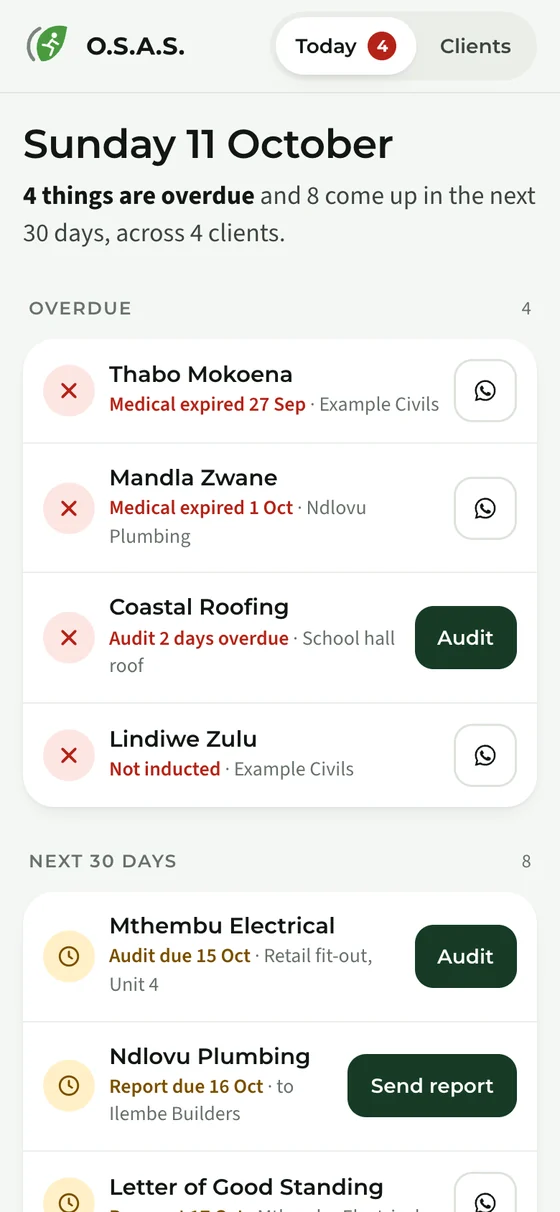
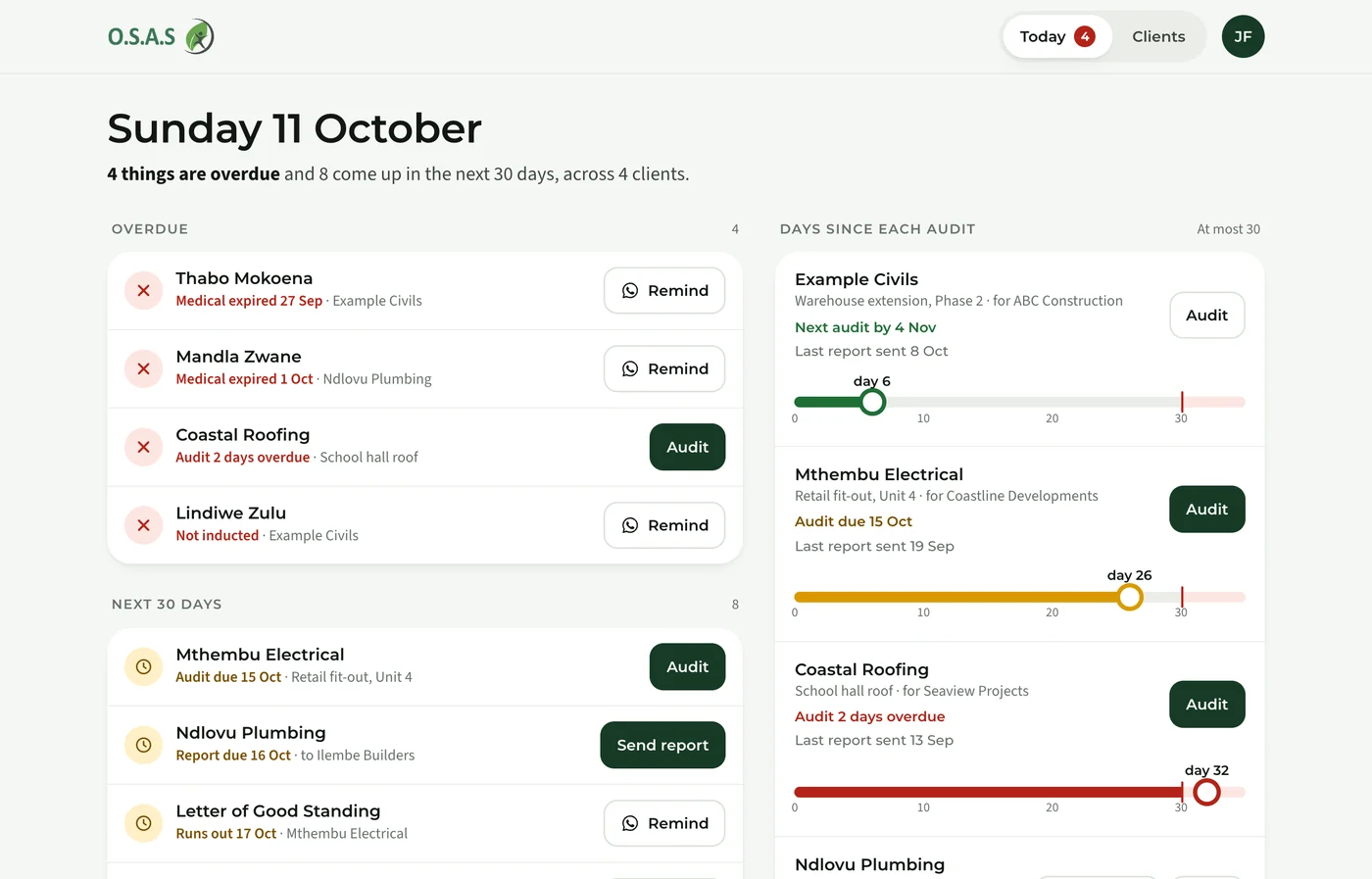
Audits coming due, certificates to check, and everything that expires in the next 30 days, across all clients.

Jackie's desk: audit timing per site and documents waiting to be checked
AppBuilt for you, not bought. SA software is either for big companies receiving contractors (SHEQ24, IsoMetrix) or it sells PDFs. Nothing is built for a registered consultant with a book of contractors. It also turns once-off files into monthly retainers.
Free checks

Two quick checks before you start. Straight from the Construction Regulations.

Is your safety file ready?

Tick what you have and see what's missing. Send the gaps to Jackie in one tap.

Permit, notice or neither?

Some projects need a construction work permit. Others need the Department of Employment and Labour told 7 days ahead.

WebsiteBoth tools use the exact wording of Construction Regulations 2–10. Contractors come back to tools like these, and "Send the gaps" turns a visit into a scoped enquiry.
Photo: stand-in until we have Jackie's own
About

Meet Jackie Fort. The registered person who answers for your file.

O.S.A.S. has been a registered company since 2013. Jackie is registered with the SACPCMP as a Construction Health & Safety Manager and is a graduate member of SAIOSH.

Your callWe need a real photo of you on site, and a few lines in your own words. Which vetting documents can go to anyone who asks?

Starting a project? Send the details and we'll come back with a quote.

Request a quote

The more we know, the faster the quote.

Starting within 7 days. We'll treat this as urgent.
We only use your details to reply to this request.

Is your safety file ready?

Tick what you already have. Your principal contractor's specification decides the final list.

0 of 14 in place

Permit, notice or neither?

Answers follow Construction Regulations 2, 3, 4 and 5.

Will the work include…